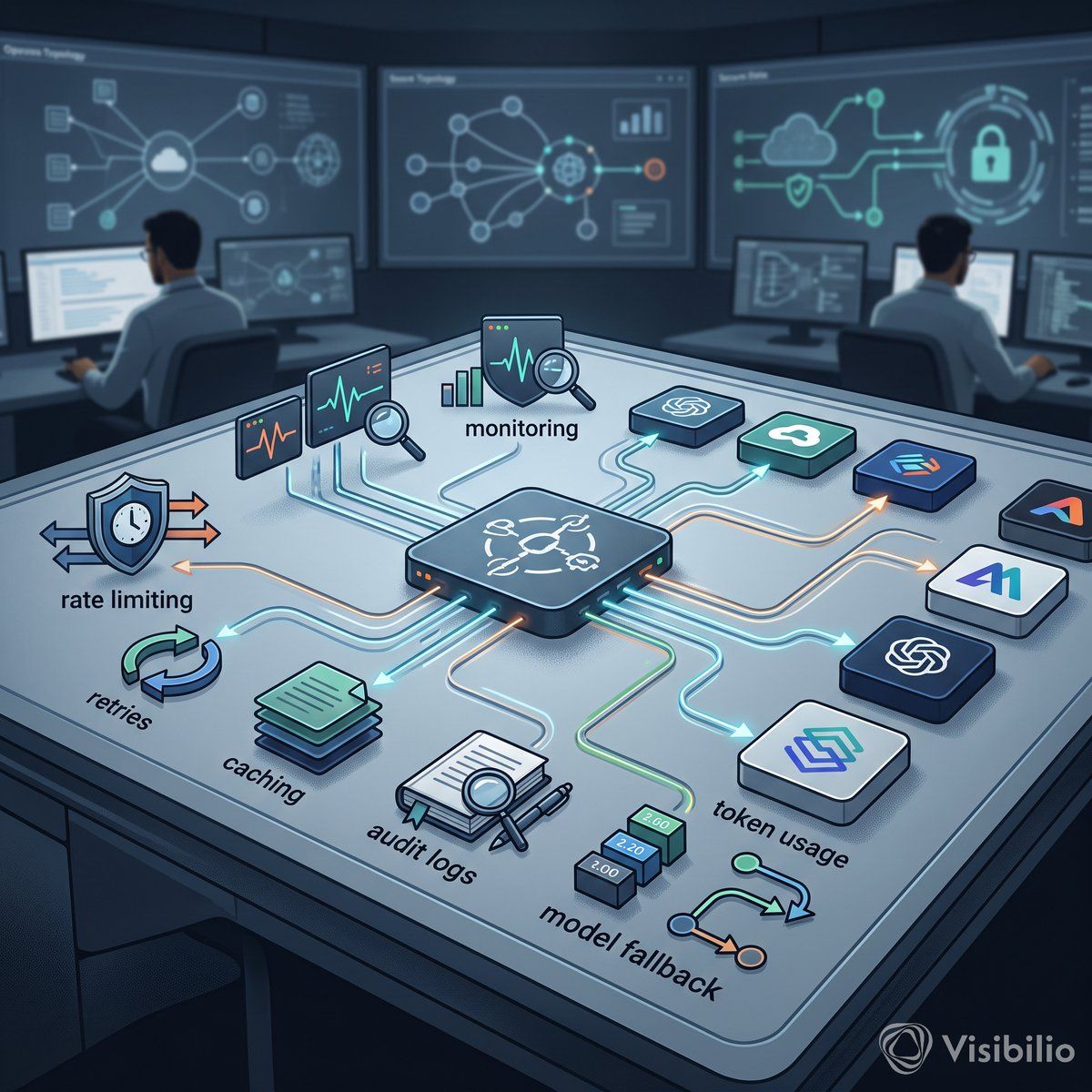
Cloudflare AI Gateway is a proxy between your applications and AI providers that centralizes logging, caching, rate and spend limits, retries, and model fallback. Used deliberately, it is the control plane for enterprise AI traffic: it makes usage visible and attributable, while output validation and human approval stay in the application.
Most enterprise teams adding AI to production workflows focus on the model. Which provider, which parameters, which prompt template. Fair enough. But the harder question lands about three weeks after launch: who owns the routing when a model times out at 02:00? Who can tell audit how many tokens a specific team burned in a given quarter? And what exactly happens when an autonomous agent loop starts calling Anthropic recursively because nobody set a ceiling?
Cloudflare AI Gateway sits between your application and upstream AI providers (OpenAI, Anthropic, Workers AI, others, and self-hosted models as custom providers) as a proxy and control layer. According to Cloudflare's documentation, it centralizes routing, caching, rate limiting, logging, retries, and model fallback into a single operational surface (the pattern of its multi-vendor AI observability and control reference architecture). That positioning matters less for what it adds and more for what it prevents: unobserved inference traffic, unattributed cost, and silent provider failures that surface as customer complaints rather than alerts.
For enterprise integration architects working in regulated, multi-vendor environments, this is not a developer convenience feature. It becomes the one place where AI calls are logged, limited, and rerouted, and it deserves the same architectural scrutiny as an ESB migration or an API gateway rollout.
AI Gateway logging is on by default and records each request's prompt, response, provider, status, token usage, cost, and duration (payload storage can be switched off per request where prompts carry personal data). That gives engineering teams an audit trail, and a human reviewer the prompt, the answer, and the cost of each call. Without it, AI in enterprise workflows is (to borrow a phrase) expensive improvisation.
The more interesting capability is identity-aware analytics. With the gateway behind Cloudflare Access on a custom domain, AI Gateway adds the verified user ID to each request's metadata (cf.user_id), so logs, analytics, and spend can be filtered by authenticated user; teams are tagged with custom metadata. That turns a generic usage dashboard into a per-user, per-team spend accountability layer. For organizations facing regulatory transparency obligations, this kind of attribution is not optional: it is the record of who used which model, how often, and at what cost. (The cost figures are estimates from token counts and model pricing, so reconcile them with the provider's invoice.)
A caveat worth stating plainly: AI Gateway is not a full governance solution. Its Guardrails can flag or block harmful content and Data Loss Prevention (DLP) can catch sensitive data, but nothing in the gateway makes an answer correct or enforces human approval. Cloudflare's enterprise AI agent workspace reference architecture says to treat model output as untrusted and to apply controls at the platform boundary. Output validation and approval workflows belong in the application layer. The gateway gives you visibility and a first line of control. What you do with it is still your architecture problem.
AI Gateway caching (off by default) serves a stored response from Cloudflare's cache instead of calling the upstream provider, but only for identical requests: the cache key covers the endpoint, the model, the provider credentials, and the full request body (a custom cache key can group requests you know are equivalent). There is no semantic caching of similar queries; Cloudflare lists semantic search for the cache as planned. For workloads that send the same request repeatedly, such as static validation checks with fixed prompts, a cache hit saves the round trip to the provider and the paid call.
The honest framing, though: caching benefits are workload-dependent. If prompts are highly variable or responses must always be fresh, cache-hit rates will be low and savings minimal. Cloudflare does not publish a universal savings benchmark. Teams should measure their own cache-hit rate (the analytics dashboard shows the share of responses served from cache), tokens avoided, and cost avoided rather than assuming a generic percentage.
Rate limiting caps request volume per gateway (fixed or sliding window), but a single request can vary enormously in prompt and output size. A rate limit of 100 requests per minute tells you nothing about whether those 100 requests consumed 2,000 tokens or 200,000. Spend limits close part of that gap: they track the estimated cost of each request, can be split by model, provider, user, or team, and block further requests once a budget is spent. They are eventually consistent, though (a burst can briefly overshoot), and no budget caps a single request. The gateway protects your budget from runaway autonomous loops (corrupted agent logic executing recursive queries overnight, for instance), but it does not replace per-request token limits in your own code.
Cloudflare AI Gateway supports request retries (up to five attempts) and model fallback, configured in a dynamic route: the application names the route instead of a model, and if a model fails after its retries or times out, the route falls back to an alternative model. Routes are versioned, so the fallback chain changes without changes to the calling application. This is the unified provider abstraction layer: a single endpoint that can fail over across Anthropic, OpenAI, or Workers AI models.
For brownfield enterprise environments (the kind where webMethods, SEEBURGER, IBM Sterling, and Camunda already coexist in varying states of modernization), this abstraction is architecturally significant. It means the integration layer does not need provider-specific retry logic scattered across services. The gateway becomes the routing decision point, and the routing decision becomes auditable.
Pairing this with Cloudflare Tunnel (cloudflared) adds another control: outbound-only connections from your infrastructure to Cloudflare's network. No open inbound ports and no public IP for local model servers or enterprise integration endpoints; traffic reaches them only through Cloudflare, where DDoS protection applies. For teams running hybrid architectures with on-premise model servers alongside cloud providers, that is a meaningful security posture improvement without the complexity of traditional VPN or firewall configurations.
Gateways, routes, and logs can be managed through the Cloudflare API, not only the dashboard, so the setup can live in your deployment pipeline. The migration path is concrete: point your application's AI API calls at the gateway (its provider-native endpoint or the OpenAI- and Anthropic-compatible REST API), authenticate, and the gateway proxies to the upstream provider. From there, logging, caching, rate limits, and spend limits are configuration, not code change. Fallback needs one code step: calling a dynamic route by name, which accepts only the OpenAI chat-completions request shape.
Cloudflare is positioning the gateway not just for traditional request-response patterns but for autonomous agent architectures where control, observability, and cost ceilings are existential rather than optional: spend limits can give each agent its own budget, and User Insights flags sessions that may signal a misbehaving agent. That is a signal worth reading carefully if your teams are building agentic workflows.
The architecture pattern worth adopting: cloudflared tunnel for secure ingress to private endpoints, AI Gateway for centralized inference routing and controls, Cloudflare Access for identity-aware usage attribution, and application-layer controls for output validation and human approval on high-impact actions. No single layer does all four jobs; the gateway, for one, approves nothing.
Pick one AI call a service already makes, with one model and one provider, and give it a gateway of its own. KONDEVS can help when that call runs inside an integration flow (enterprise integration) or an agent (AI agent development).
- Create the gateway in a separate Cloudflare account. Gateways are created in the dashboard or through the API (getting started), and a token with the AI Gateway Run permission works for every gateway in its account, so a separate account keeps the trial apart. Turn on the authenticated gateway, point the call's base URL at the gateway, and check that its requests reach the logs.
- Decide what the logs keep. By default they store prompts and responses. Where the call carries personal data, switch logs off in the gateway settings, or send
cf-aig-collect-log-payload: falseto keep only the metadata, such as token counts, model, status, cost, and duration. - Tag each request with its team and application in the
cf-aig-metadataheader, so logs can be filtered by team and a spend limit split by the same key. With the gateway behind Cloudflare Access on a custom domain,cf.user_idarrives without code. - Set a rate limit and a spend limit low enough to reach, and see what the application does with the 429. Both return
429 Too Many Requests. Decide whether the call waits and retries later, queues the work, or tells the user; for the spend limit, a dynamic route can fall back to a cheaper model instead. - Cache one call that repeats identical requests, and read its hit rate after two weeks. Leave the gateway's caching off and opt that call in with a
cf-aig-cache-keyshared only by requests with equivalent responses, plus acf-aig-cache-ttlas long as the answer stays valid.cf-aig-cache-statusreportsHITorMISSon each response; the hit rate decides whether the call keeps its cache.